Connected walkie-talkie
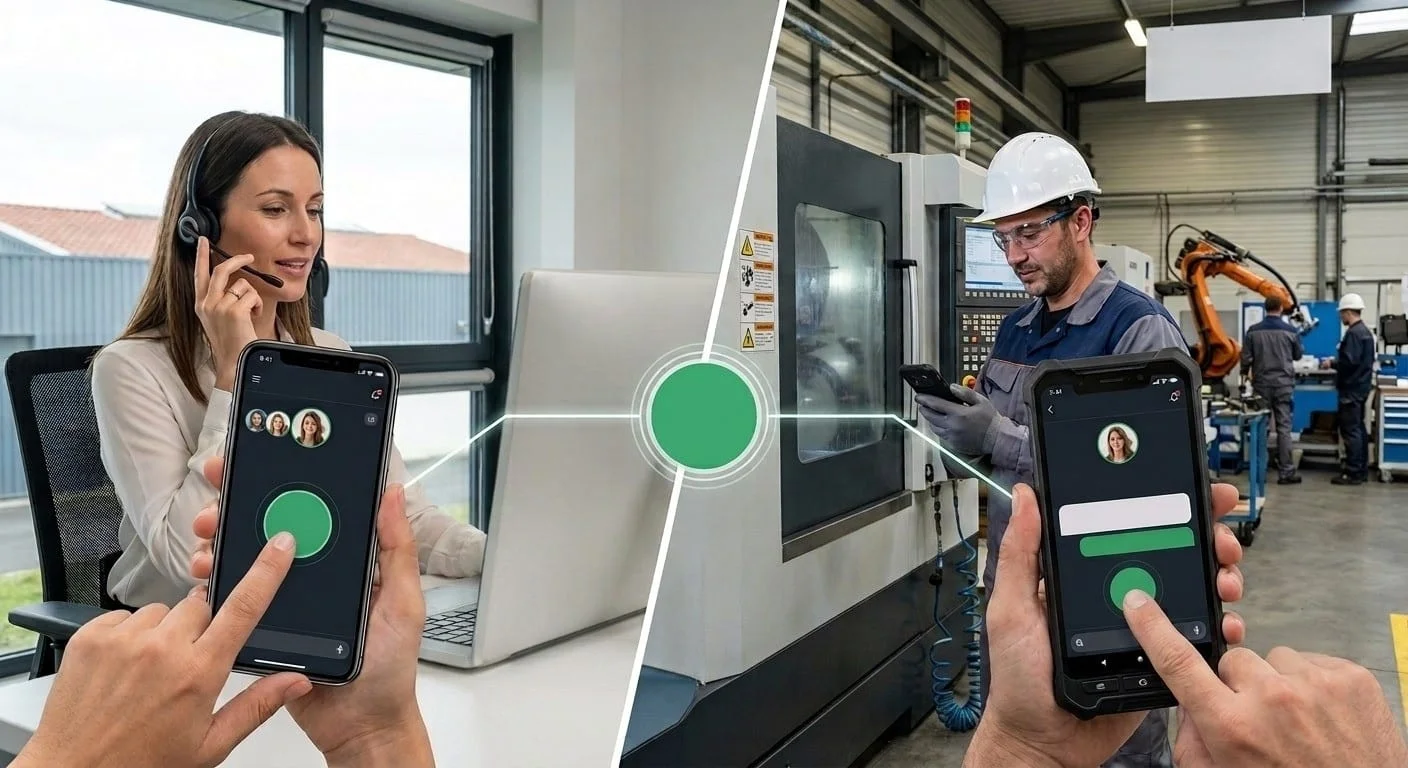
One button. The whole workshop hears.
This tool is currently linked to the production tool. For individuals, the tool is under development.
Talk to the office, workstations or site without leaving your machine or sharing your phone number. Every message is also transcribed into text.
- Hold the button to start the exchange.
You are the office · message 1 of 4
Demonstration: synthetic voices. The texts are the ones produced by the actual transcription.
How it works
Three steps, in this order.
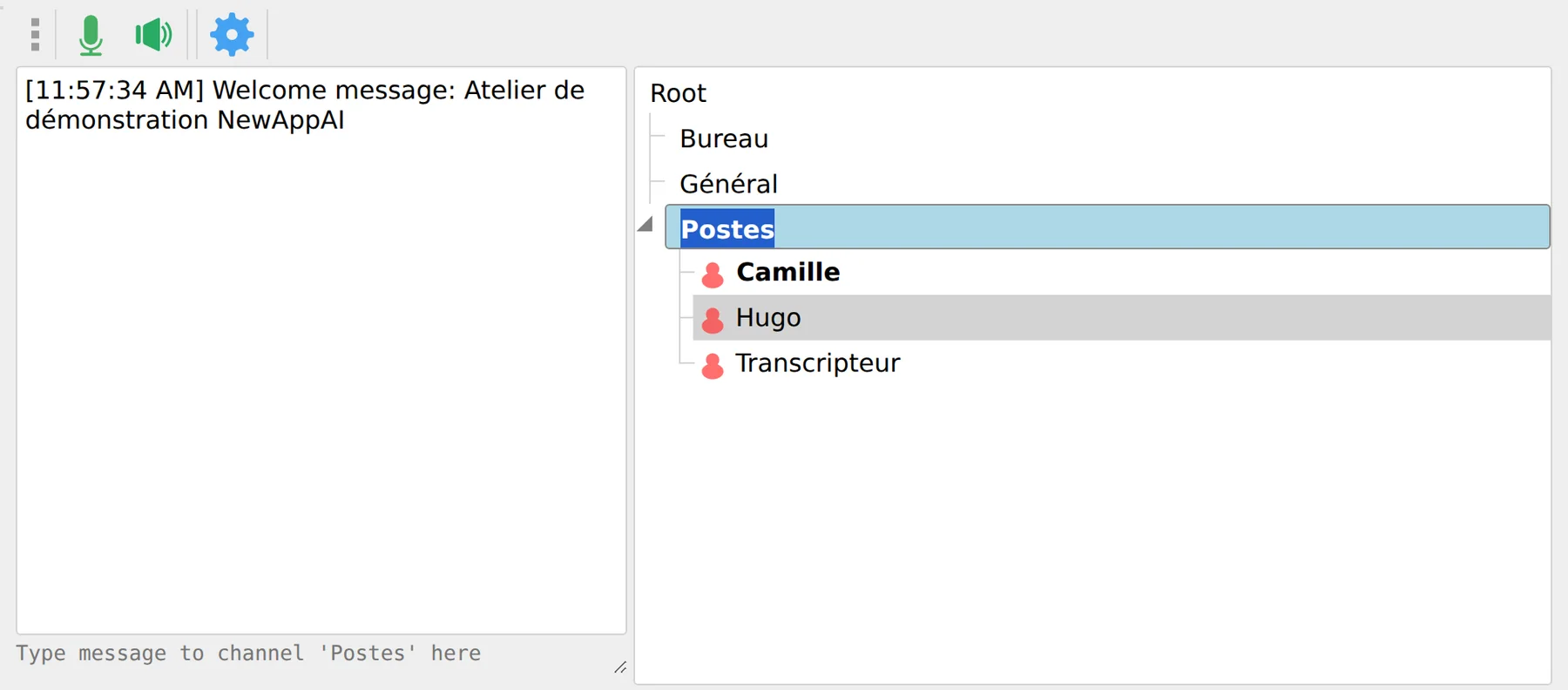
Choose a channel
Office, Workstations, General: everyone joins their team’s channel. Double-click to switch.
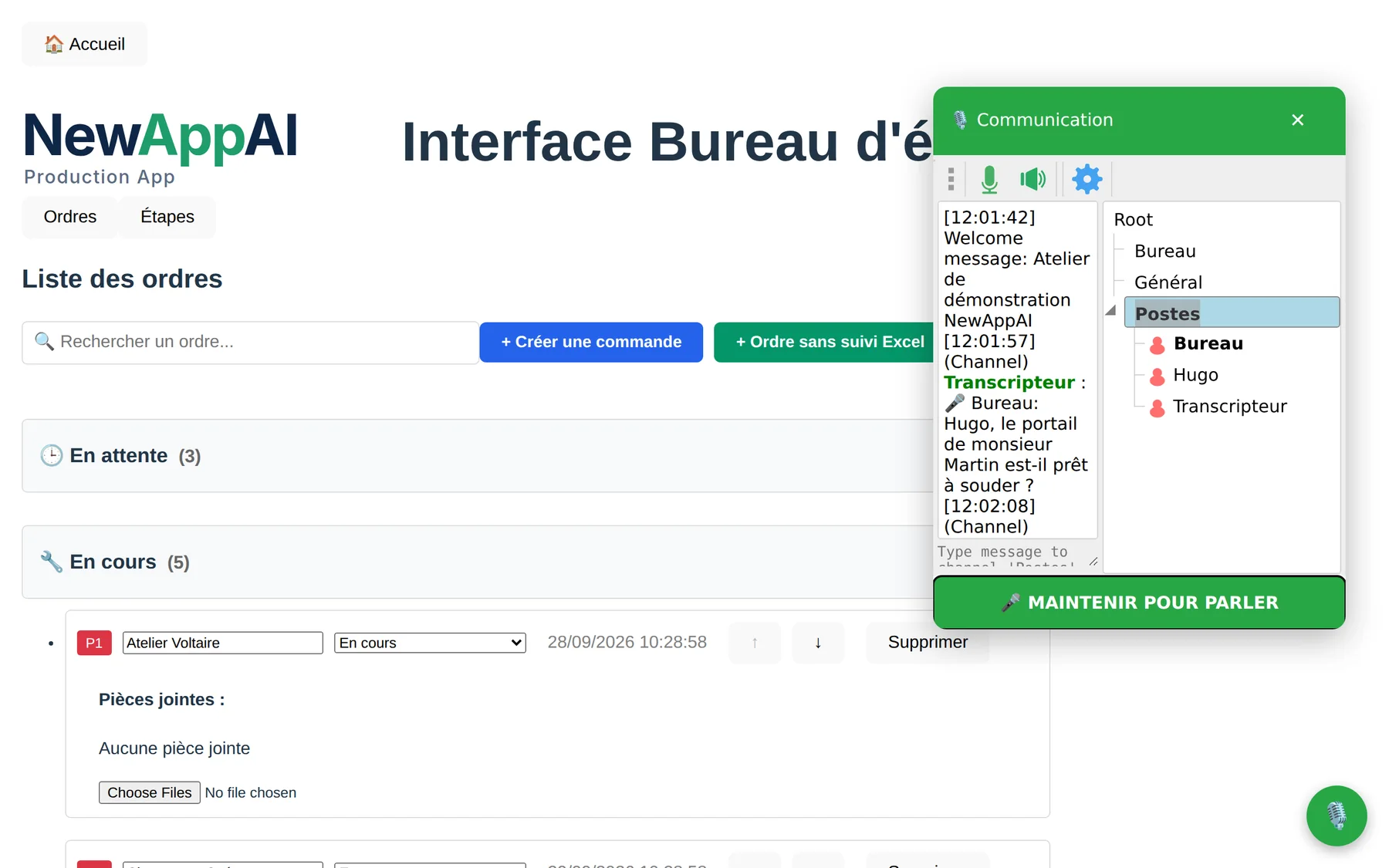
Hold to talk
Hold the button like a walkie-talkie. As long as you keep it pressed, people can hear you.
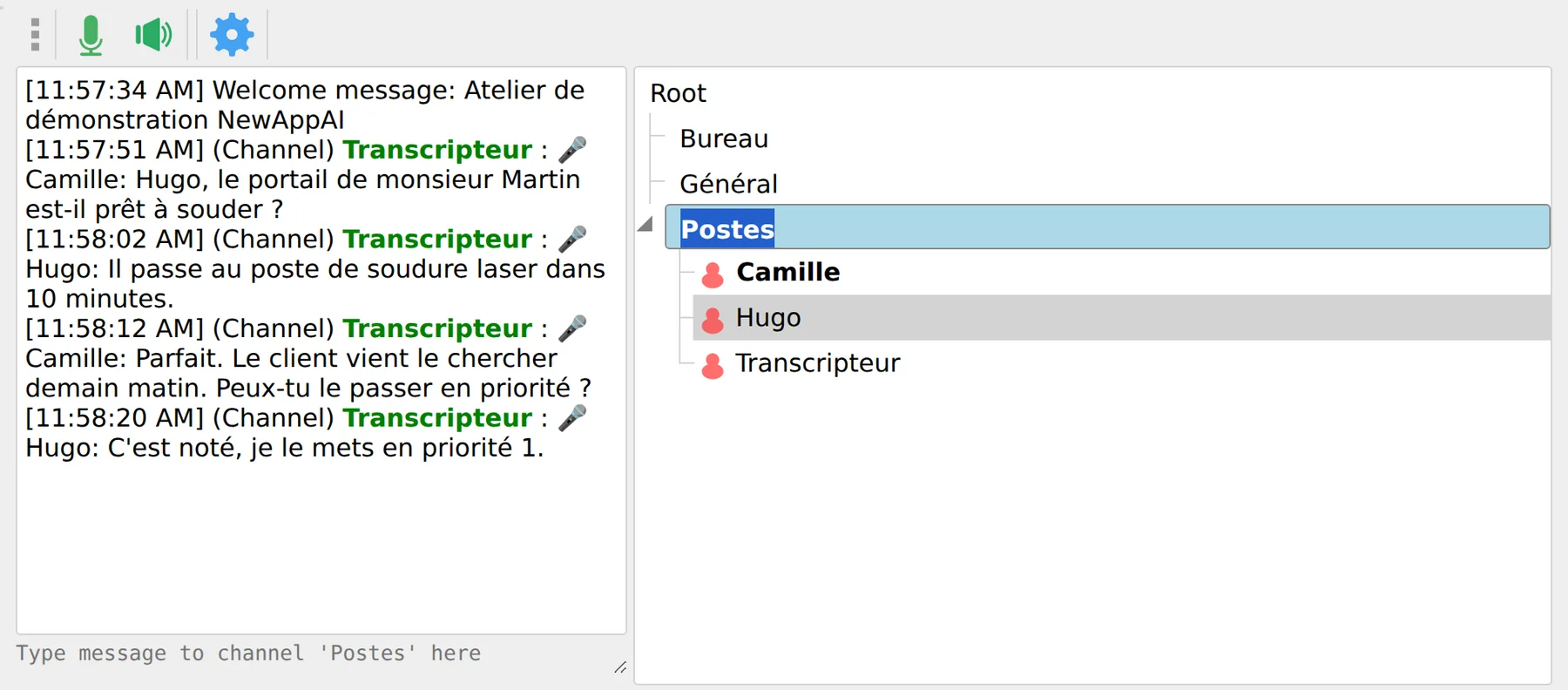
They hear it, the text follows
Each message is transcribed in the channel chat with the speaker’s name. You can reread it without listening again.
In video
One conversation, from start to finish.
Videos have no sound. Messages are spoken with synthetic voices; what you read is the actual transcription.
No phone number
Reachable without sharing your number.
Talk to the workshop without stopping the task at hand. Your colleague replies when they are free. No employee has to share a personal number to be reachable, and nobody calls them outside working hours.
Temporary and seasonal workers
When the contract ends, nobody leaves with the team’s contact details, and nobody has shared their number.
Rotating teams
The channel stays, the people change. No WhatsApp group to recreate for every rotation.
Multiple sites
One channel per workshop, site or department. Join the one where you work.
What it does
Eight things, all tested.
Voice at the push of a button
Hold the button, talk, release. No number to dial, nobody to call.
Automatic transcription
Every voice message becomes text in the channel chat, signed with the speaker’s name.
One channel per team
Office, workstations, general… Talk to the people in the channel, not the whole company.
No number to share
Everyone is identified by name. No personal number is shared or stored.
In the browser
Nothing to install: open the page, allow the microphone and talk.
Integrated into Production App
A floating microphone button on every screen of the production management app.
Encrypted connection
Exchanges between the device and the server use an encrypted connection (TLS).
Nothing is archived
The server stores neither audio nor messages: what is said stays in the conversation.
Things to know before choosing
What we prefer to tell you.
The transcription arrives a few seconds later
It is produced by a speech recognition model. Proper names may be misheard: the text helps you reread, but does not replace listening.
Set it to your language
French, Portuguese and the model’s other languages can be selected during installation, depending on the workshop.
Mumble apps work too
The server uses the Mumble protocol, an open standard: its phone and desktop apps can also connect to it.
Got it?
Tell us how many people you are and where you work. We will set up the channels and transcription language for your team.