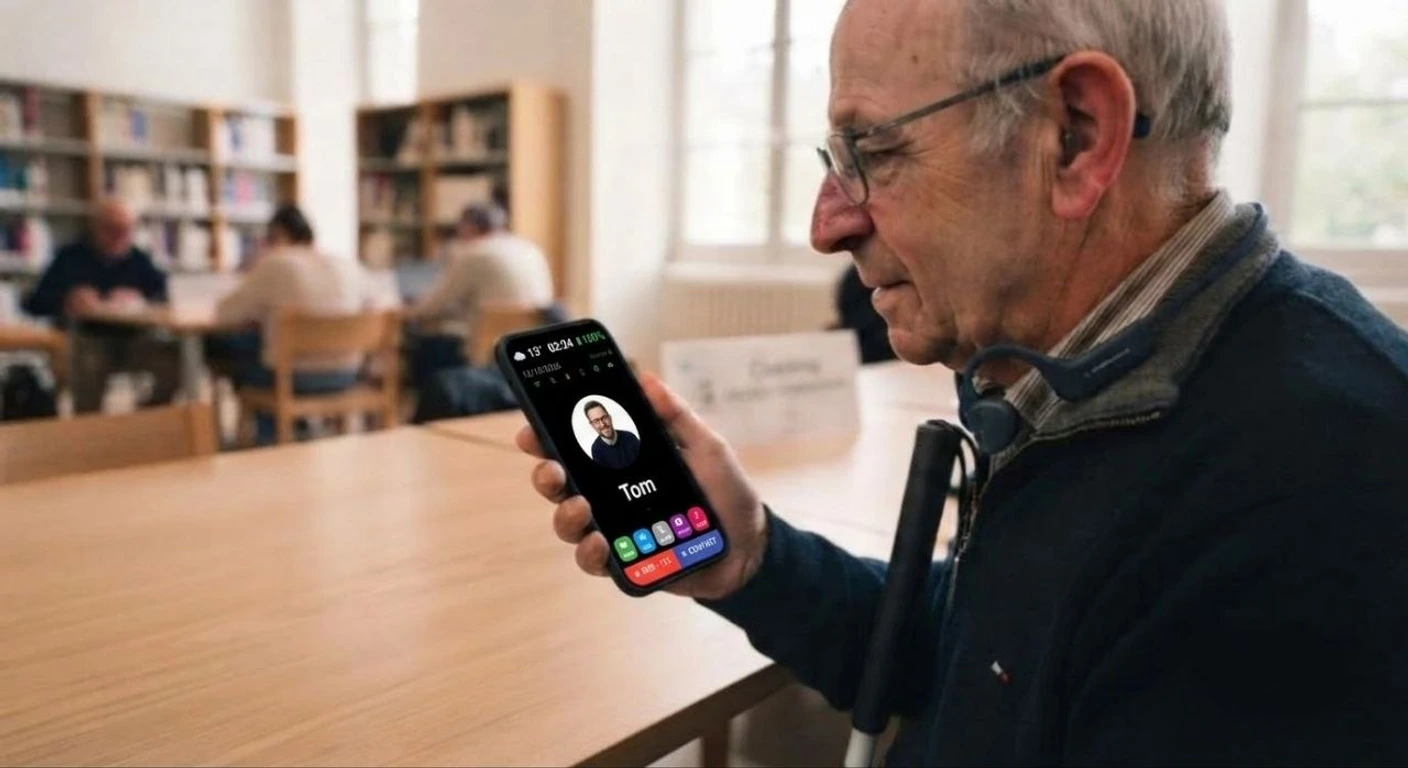
You recognise a face, tap it, and the call starts.
Smartphones have become too complicated for many older people: too many buttons, too many menus, text that is too small. EasyPhone turns the phone into a minimalist tool designed for seniors and for people who are visually impaired or have trouble seeing clearly.
Only the essentials stay on screen. Contacts appear as large photos: you recognise a face, tap it, and the call starts. No keyboard, no list to scroll, no complicated gesture.
EasyPhone speaks out loud: as soon as you touch the screen, the app announces what is under your finger — the contact's name, the action, the time. The phone can be used without needing to read.
For extra peace of mind, EasyPhone can be connected to a smart bracelet or ring. The bracelet automatically detects a fall and immediately alerts loved ones with the person's location; an SOS button also lets them call for help with a single press. The ultra-light ring tracks heart rate, blood oxygen and sleep, and shares this information with the family.
The app, for real
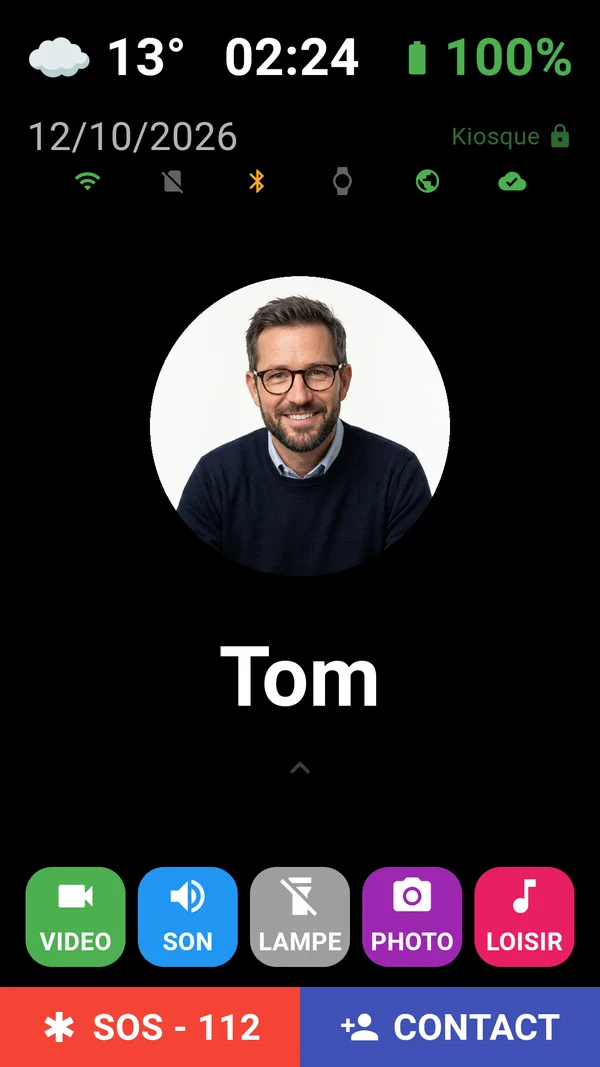
Home screen
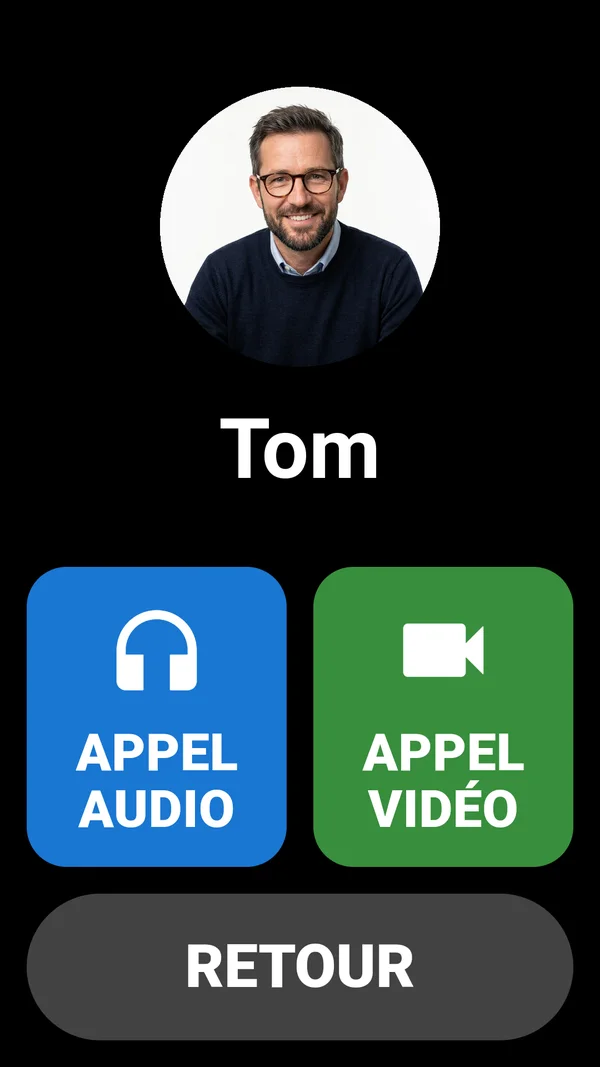
Call by audio or video
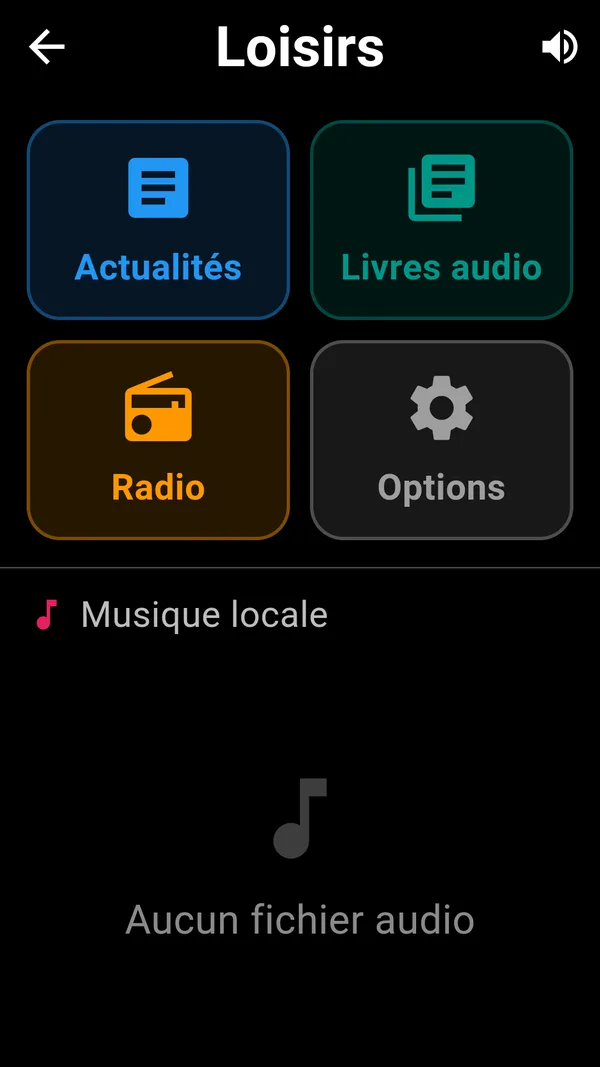
Leisure
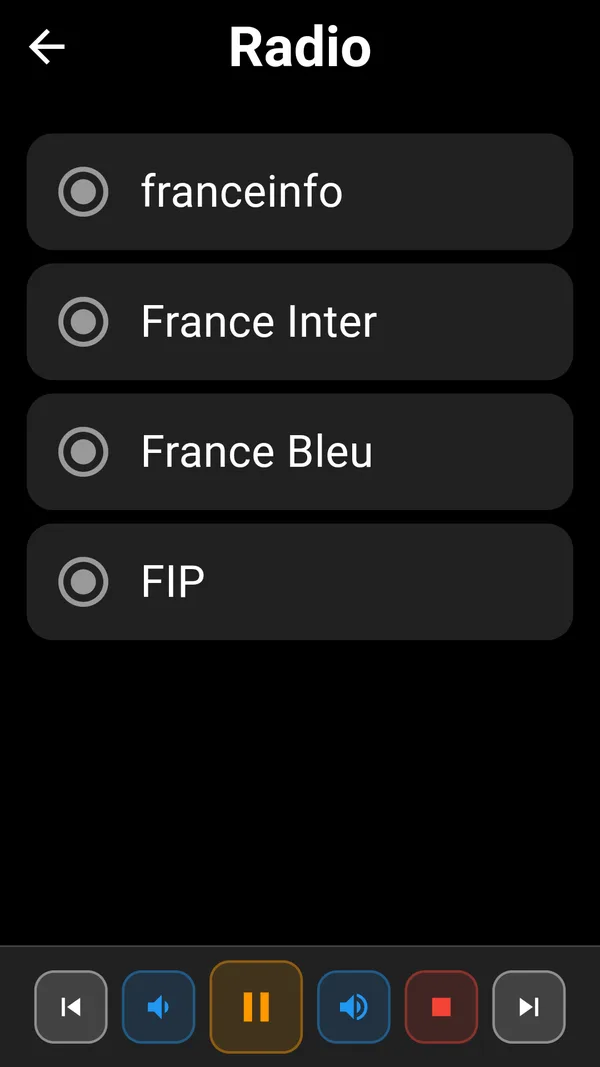
Radio
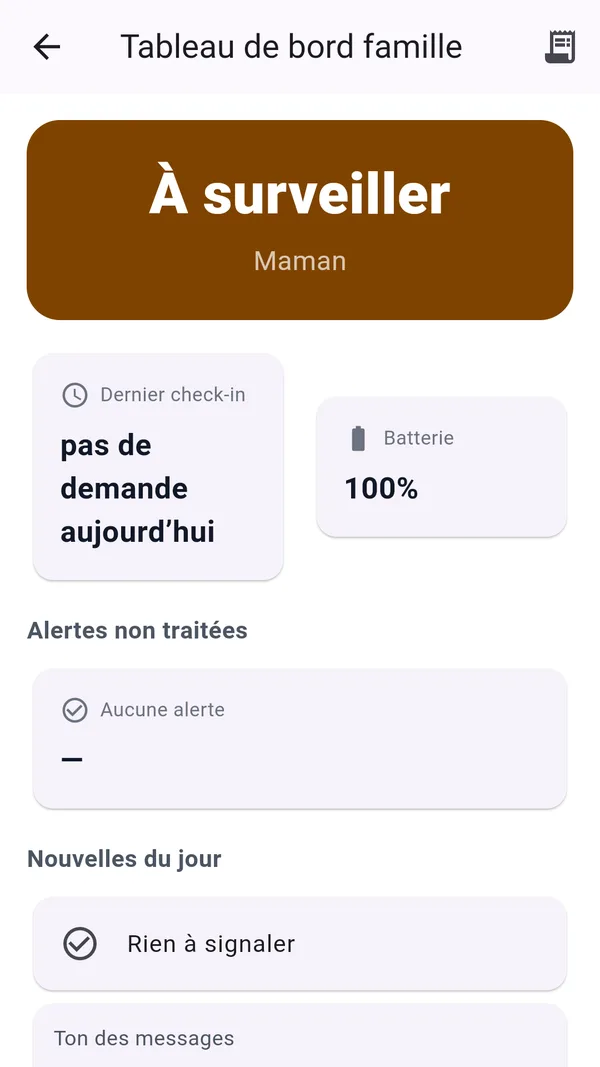
Family dashboard
Who is it for
Older people, people who are visually impaired or have trouble seeing clearly, and families who want to know they are safe while preserving their independence.
Features
- Minimalist screen: only the essentials, large high-contrast elements
- Contacts as photos: tap a face to call
- Voice feedback: every element you touch is read out loud
- Usable without reading the screen: designed for visually impaired people
- Clearly visible SOS button to alert loved ones
- Contacts set up by the family, with nothing for the user to configure
- Available in French, English, Portuguese and Spanish
The features, in short
What the app does. Everything described here exists in the app.
The older person’s home screen
- One contact at a time, as a big photo
- Each loved one is shown large, with their first name. One tap announces the name, two taps open the Audio or Video choice.
- Everything is read out loud
- The time, the weather, the battery and every element touched are announced out loud.
- Adjustable text, colours and buttons
- Five text sizes, a choice of colours, and unneeded buttons can be hidden.
- Four languages
- French, English, Portuguese and Spanish, for the display, the voice and the voice commands.
Calls
- Normal call or online call
- A call from the phone, or an online audio or video call with the family.
- An incoming call is never answered by itself
- The name is announced out loud, then three big buttons: decline, answer without video, answer with video. An accidental touch in a pocket does not answer.
- You can talk to the phone
- It understands “call…”, “emergency”, “photo”, “weather”, “battery”… in all four languages.
The SOS button
- A large red button
- It has to be held down for about two seconds: no triggering by mistake.
- Up to three numbers in a cascade
- If the first does not answer after about 30 seconds, the next is called, in a loop until someone answers.
- One gesture to stop
- A big red button stops the cascade at any time, and an emergency call is never cut by mistake.
For the family: Family mode
- The older person has the final say
- Any sensitive action requested remotely is announced out loud: they answer YES or NO on big buttons. With no answer, nothing happens.
- The “Is everything fine?” check-in
- At the chosen times (10 am and 4 pm by default), the phone asks whether all is well. With no answer, it reminds, then texts relatives after 30 minutes.
- An alert if the phone stops moving
- It first asks whether all is well, then warns the family. No checks at night or at nap time.
- A dashboard for relatives
- The day’s status in three colours, the last check-in, the battery and the alerts, read-only.
- Adding contacts remotely
- The family enters a name, a number and a photo, and the older person approves. A .vcf list can also be imported in one go.
Leisure, bracelets and security
- Radio, news and audiobooks
- Stations that can be set per language, news read out loud, and audiobooks.
- Connected bracelets
- EasyPhone reads the measurements of compatible bracelets (heart rate, oxygen, steps, sleep, battery) through the Gadgetbridge app.
- A phone locked on EasyPhone
- Kiosk mode blocks Android’s keys, and the lock screen is unlocked by tracing a shape, with no code.
- Protected settings and backup
- The settings are protected by a PIN, and contacts are backed up in an encrypted file.
- Privacy
- Data stays on the phone; keys and codes are kept in Android’s secure vault.
Online functions (calls with the family, adding contacts remotely) need an Internet connection and the call service to be set up, which we do with you.
Compatible connected devices
Each device has its own use: choose the one that suits the person who will wear it.
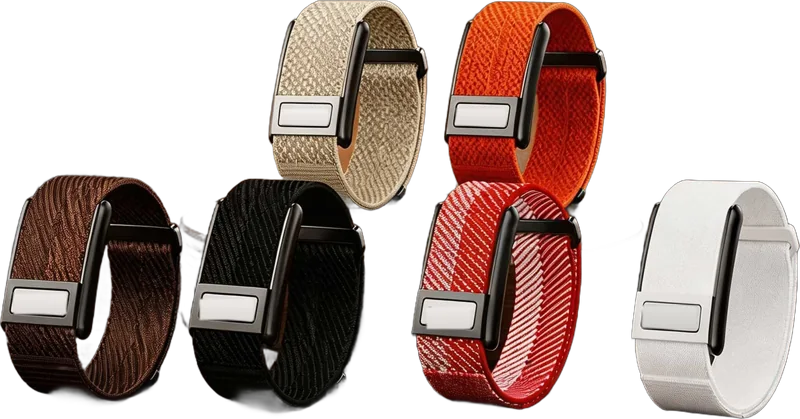
No screen, worn day and night. Measures heart rate, oxygen and temperature, records an ECG and is water-resistant.
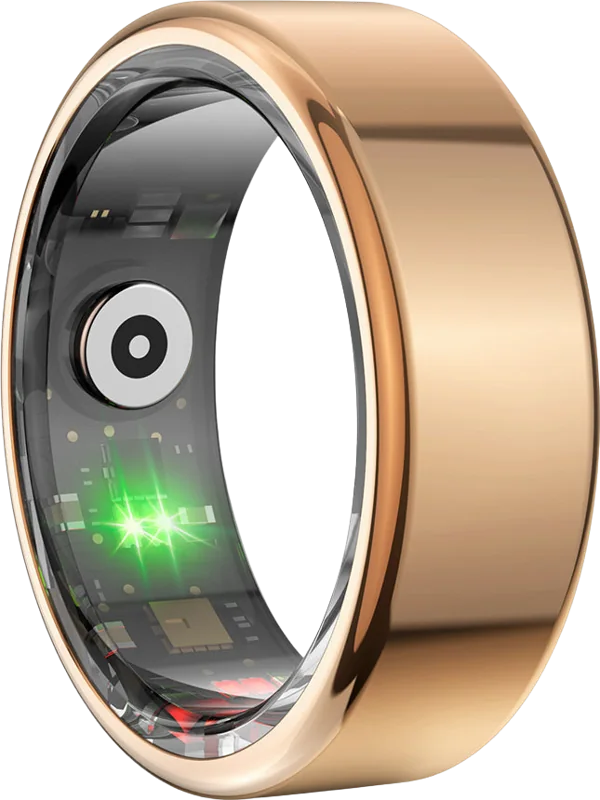
The most discreet: you forget it is on your finger. Tracks steps, heart, sleep, oxygen and stress.
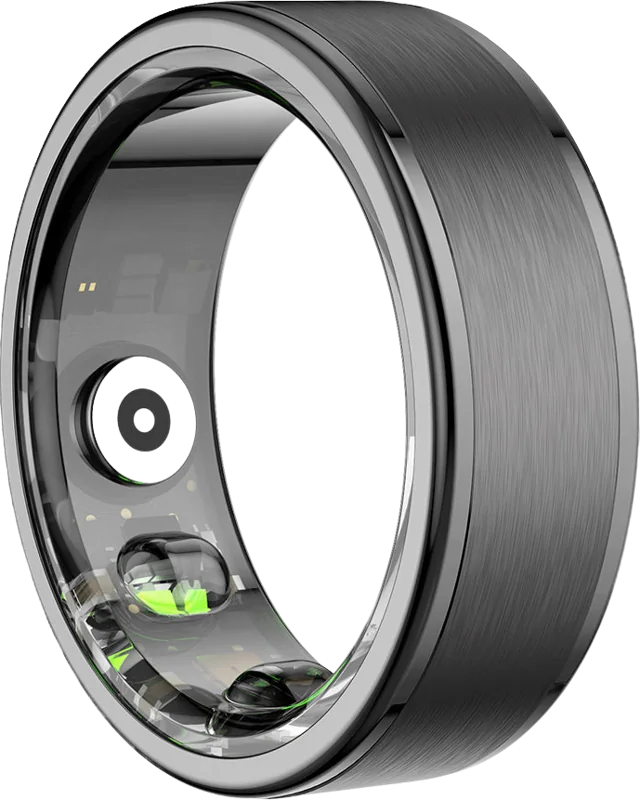
Same measurements, with a more sober brushed finish. Pick it by taste and finger size.
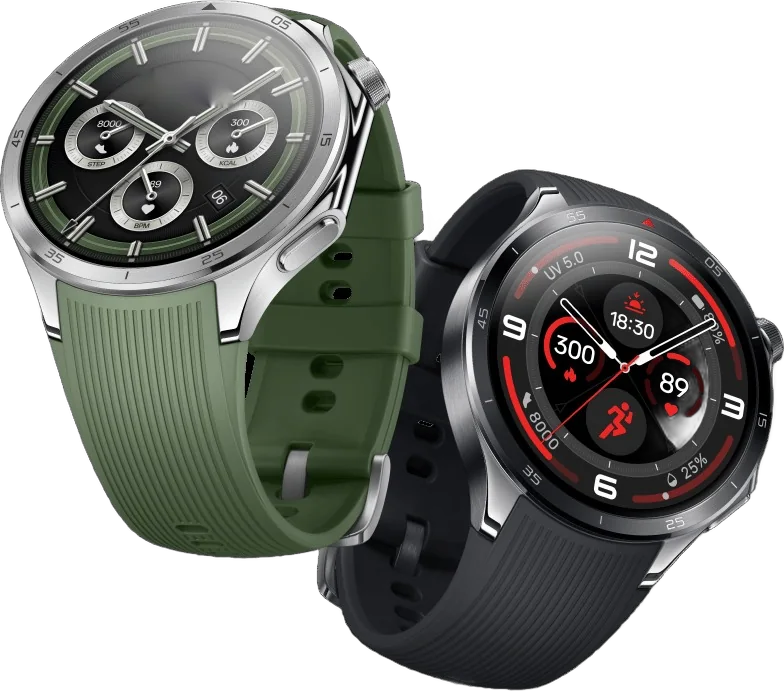
Large round dial, metal bezel and interchangeable silicone strap. Time, steps and heart rate at a glance.
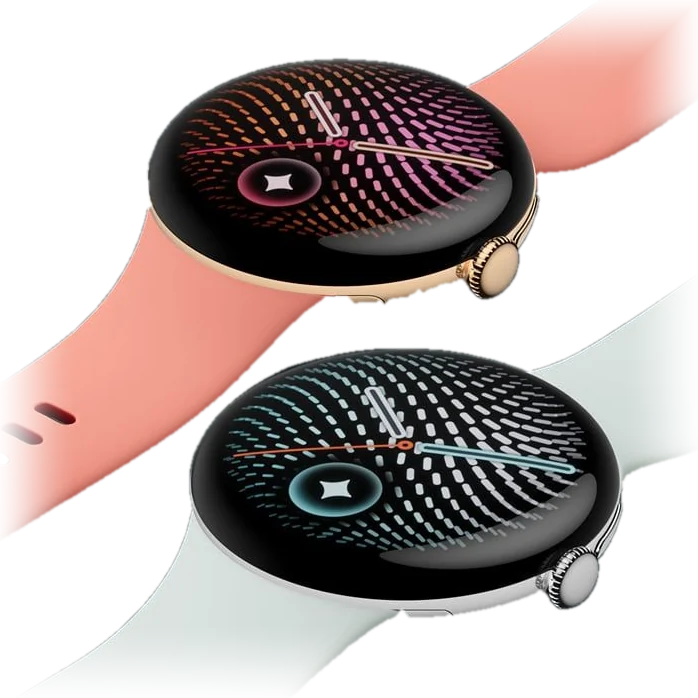
Domed case with no sharp corners, clear display and animated faces. Designed to be simple to use.
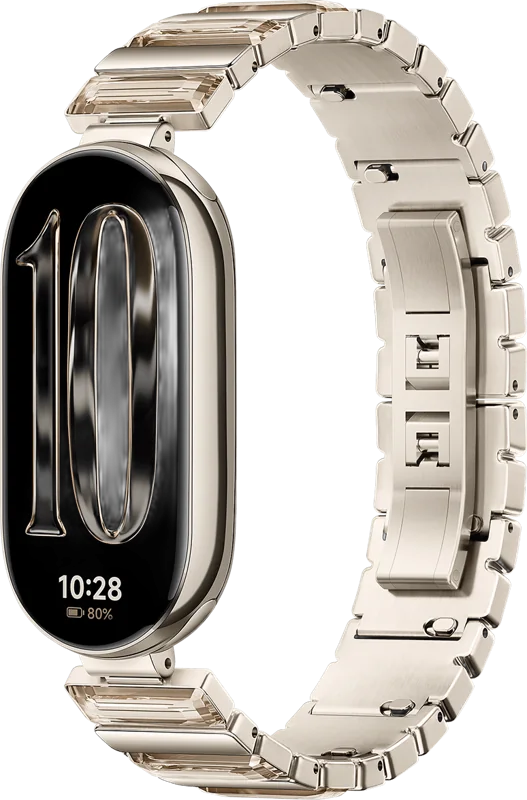
Elongated screen and slim strap, metal or soft. Light and affordable, to track steps, heart and sleep.
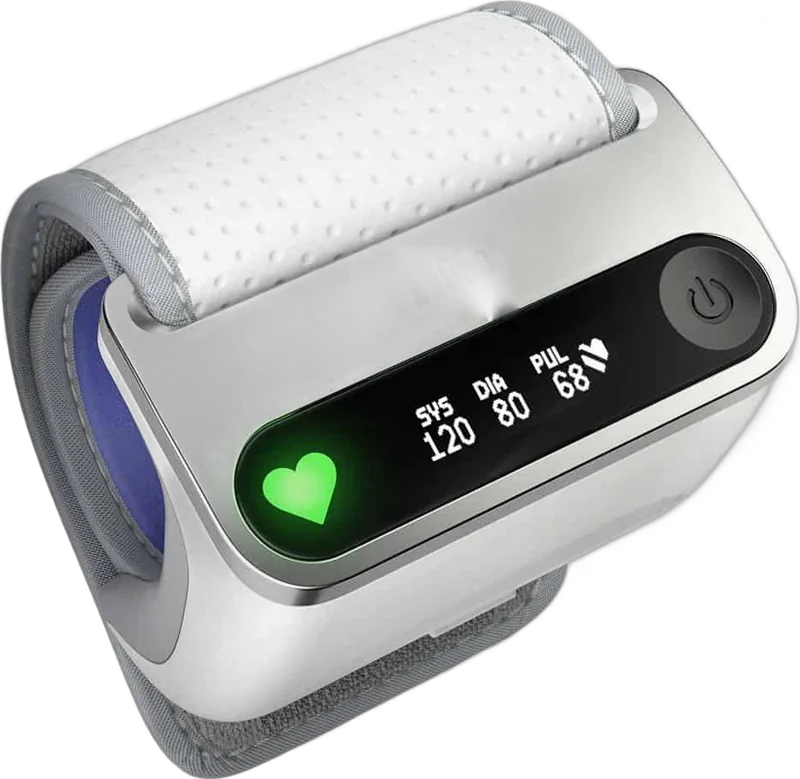
Measures blood pressure at the wrist, shows pressure and pulse, and sends the result to the app.
Available options
- Smart bracelet: automatic fall detection, instant alert to loved ones, SOS button, GPS location, heart rate, blood oxygen and temperature, more than 7 days of battery life
- Titanium smart ring (about 3.4 g), waterproof: 24/7 heart rate, blood oxygen, temperature and sleep, 7 to 10 days of battery life
- Health information and alerts shared with the family
Pricing information
Price on request, depending on the package (app only, with bracelet or with ring). Contact us for a tailored quote.