en
A new business to launch
You want to be your own boss, choose your hours, depend on no platform.
Your delivery service, under your name.
You approach the businesses in your area, their products go into your app and you do the delivering. Your customers order and pay online, the app checks they are within your zone, you confirm the time, and they follow their order all the way to their door.
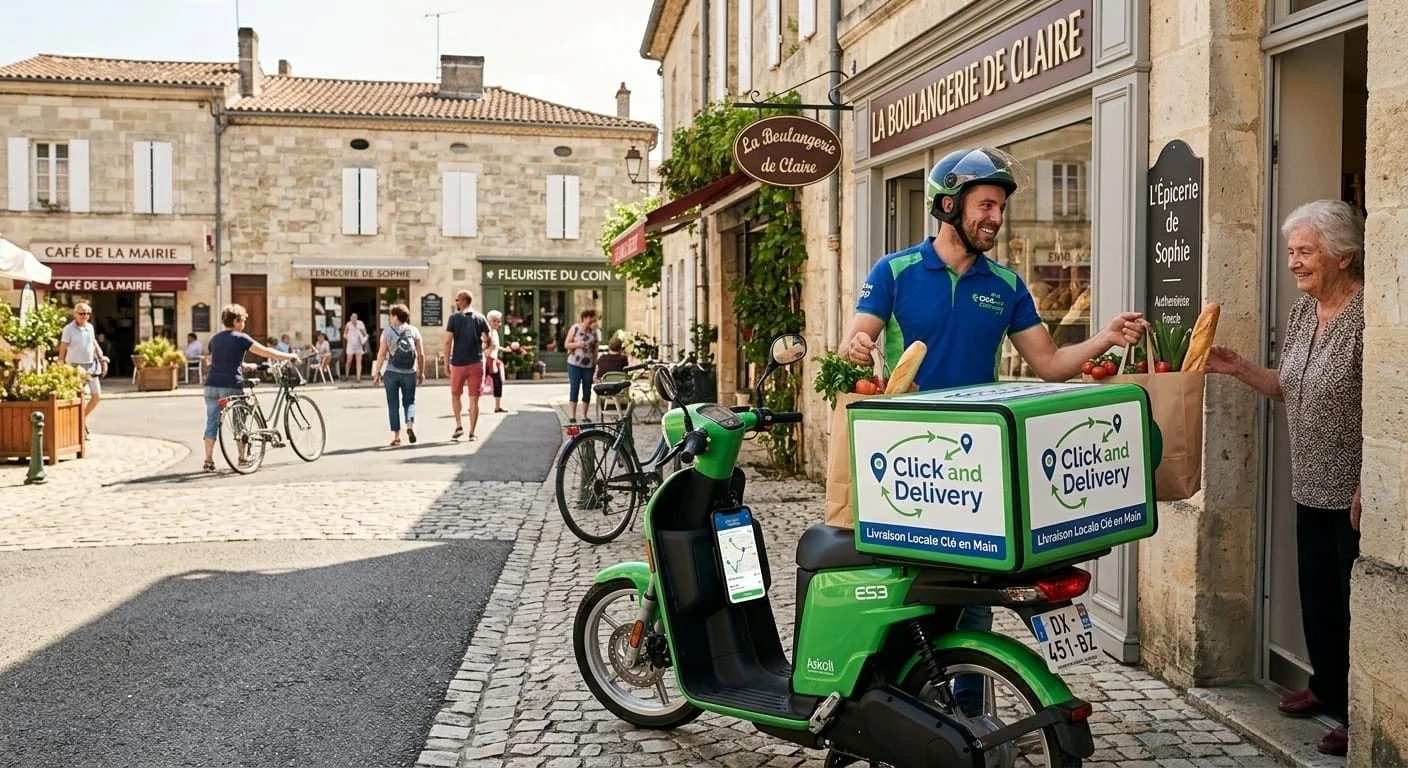
Your delivery service, under your name.
You’re starting from scratch. Here’s how you begin.
Click and Delivery gives you the app. The partner businesses and the customers are yours to find: it’s your business.
You find your businesses
Restaurants, snack bars, pizzerias, grocers in your area: you go and see them and agree with them how to work together. The app doesn’t bring you any shopkeepers.
Their products go into your menu
You add their dishes with photos and prices, sorted by category. Your customers order under your name.
You take orders and deliver
An order rings, you confirm the time, you collect from the shopkeeper and deliver within your zone.
The customer side, four gestures
From their phone, with nothing to install. They create their account once and their address is remembered.
1They choose from your menu
Photos, prices and categories, with the products of the businesses you work with.
2They customise
Size, quantity, extras and removed ingredients. The price updates.
3They get it delivered
They enter their address, the delivery fee is added to the total, then they pay by card.
4They follow their order
The status changes on their phone as soon as you change it, up to “Delivered”.
You suggest the time. They confirm it.
When you accept an order, you announce a delivery time. Your customer sees it right away and answers: “Yes, perfect”, or asks for later in one gesture (+15 min, +30 min, +1 h). You know what time to leave before going to pick up the order.
On the management side, an order moves from stop to stop
You change the status, your customer sees it at the same moment. No need to call them to keep them informed.
Pending
The order arrives, rings and shows up in green.
Confirmed
You suggest the delivery time.
Preparing
The customer sees the preparation time.
Ready
You go and pick it up.
Out for delivery
The customer sees the announced travel time.
Delivered
It moves to the history.
Your delivery rules
You change them whenever you like, from the app’s settings.
- Maximum distance
- In kilometres by road. The customer is warned before paying.
- Minimum to deliver
- Below it, delivery is not offered.
- Delivery fee
- Added automatically to the customer’s total.
- Preparation time
- Suggested by default when you confirm an order.
- Opening hours
- Day by day, with breaks between lunch and evening.
- Last orders
- Orders stop the number of minutes you choose before closing.
Who it’s for
- You want to launch your business
- You start from scratch with your own transport. You approach the businesses in your area and deliver under your own name, rather than for a platform.
- You run a restaurant
- You deliver to your customers yourself, with your menu and your prices, without going through a platform.
- You live far from the cities
- Where the big platforms don’t go, you set your own zone and fees.
Want a separate space for each business, or a team of couriers? Let’s talk about your project.
Price on quote
Every project is unique. Contact us to discuss it and get a quote suited to your business. The businesses and the customers are yours to find.
- Your name, logo and menu in the app
- The customer area and the management area
- Card payment with Stripe
- Setup and training
- Maintenance and support for the first year
Screenshots of the app in use, with a demo account and demo orders.

 EASYPHONESerenityNewAppAiby premiumajusteprixEASYPHONESerenityNewAppAiby premiumajusteprixEASYPHONESerenityNewAppAiby premiumajusteprixEASYPHONESerenityNewAppAiby premiumajusteprixEASYPHONESerenityNewAppAiby premiumajusteprixEASYPHONESerenityNewAppAiby premiumajusteprixEASYPHONESerenityNewAppAiby premiumajusteprixEASYPHONESerenity